
UK SERVICE BUSINESS SOFTWARE BUILT AROUND THE WORK
Your business is more than a calendar.
Your business is more than a calendar.
Run it as one connected system.
Servmora combines trade-aware booking, customer and work history, jobs, team tools, invoicing, accounting and repeat business in one place. Auto, Clean, Groom, Beauty and Custom editions change the records and rules to fit the work you actually do.
44 days free · no cardUnlimited jobsNo booking commissionYour payment methods, your choice
Your working day, already organised.
Full detailAB12 CDE · returning customer
IN PROGRESSMaintenance valetKT18 LPO · third visit
READYCeramic coatingInspection already attached
ASSIGNEDSERVMORA APPLIVE
CURRENT JOBFull detail
AB12 CDE
Customer returned4th booking
Invoice ready£145.00
SEE HOW EASY THE DAY CAN FEEL
Do the job once.
Less repeated adminCustomer, service, time, notes and price stay connected from one step to the next.
Nothing gets lost between stepsThe next action is already there when the job moves from booking to work, invoice and follow-up.
Easy for the whole team to followEveryone works from the same job record, while owners keep the wider business view.
Do the job once.
Servmora connects the rest.
Watch how smoothly the work moves from booking to diary, job, customer updates, invoice and repeat business. The same information follows the job, so you spend less time copying details, searching through messages or remembering what comes next.
Book→Plan→Work→Invoice→Bring them back
See everything Servmora connects →
SERVMORA LIVEREAL PRODUCT WORKFLOW
One systemfrom booking to repeat business
ONE SERVMORA · FOUR SPECIALIST EDITIONS + YOUR OWNPick your trade.
Pick your trade.
Servmora changes with it.
Choose a specialist edition, or choose Custom and shape the service menu around the business you already run.
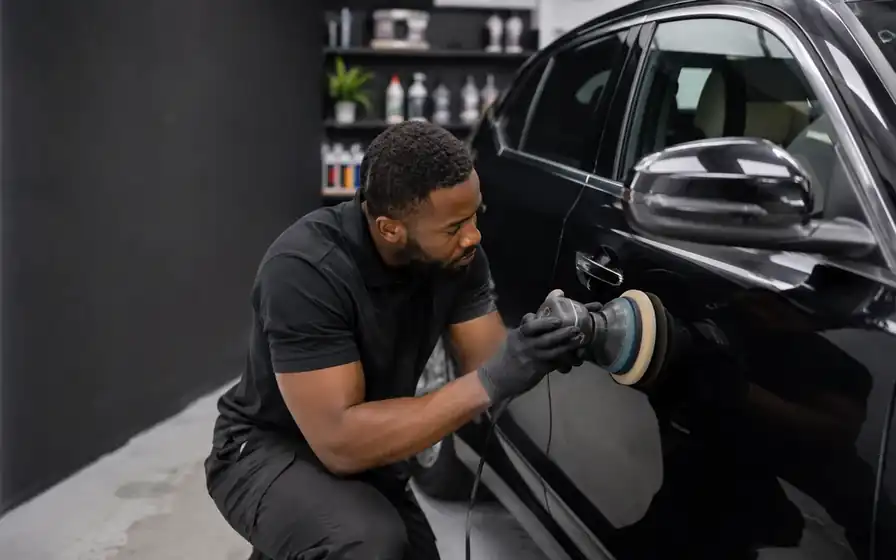 VALeting · DETAILING · PPF · TINT · WRAP
SERVMORA AUTO
The registration brings the history back.
Open a vehicle and see previous work, notes, condition evidence and invoices before the next job starts. Mobile routes and longer workshop stages live in the same system.
WHAT SERVMORA REMEMBERSVehicleRegistration · condition · previous work · photos
Explore Servmora Auto →
SEE A WORKING DAY COME TOGETHERFrom first setup to the next customer.
From first setup to the next customer.
Keep every step connected.
Choose a step below or let the walkthrough move automatically. It shows how the main parts of Servmora connect during a normal working day.
START READY
Build the business once, then use it every day.
Choose the Servmora edition, add services, working hours, team details, branding and the payment information customers should see. Guided setup keeps the important steps together.
- Trade-aware service libraries
- Import existing customers, services and future bookings
- One sign-in can hold separate businesses in different Servmora editions
BUSINESS SETUP
✓ Business details✓ Services & prices✓ Working hours✓ Team5 · Getting paid6 · Ready
BOOK & PLAN
A booking lands in the same diary the business already uses.
Customers book from genuine availability. Servmora applies the relevant service rules, checks time and team capacity, and keeps a waitlist ready when a suitable slot is full.
- Branded customer booking page
- Real service duration and availability
- Diary, board, timeline and workload views
THURSDAY
Service bookingREADY
Returning customerASSIGNED
Team jobCONFIRMED
15:30 · opening · waitlist readyTEAM & TIME
Staff see their work. Owners see the wider picture.
Assigned staff get a focused My Day view. On Professional and Premier, starting a customer job can start the linked job timer automatically, while the Time Clock remains available for travel, preparation and other general work.
- Owner, Manager and Staff access
- Staff profiles and profile photos
- Owner-only live team clock
AlexCustomer job · 09:02
JordanTravel / general work · 08:41
MayaNot clocked in
DO THE WORK
The job record travels with the work.
Open the job to see the customer, notes, trade history, checklist and evidence. If plans change, an owner or manager can move a future job to now while Servmora keeps the original booking in the history.
- Photos, notes, forms and checklists
- Actual start and completion date/time
- Routes and directions for mobile work
IN PROGRESS
Service visit
Customer details ready ✓
Before photos saved ✓
Final checklist ○
INVOICE & PAY
See what has been issued, paid and still needs collecting.
Drafts stay outside the outstanding total until they are issued. Record payments with the date, method and reference so the same money figures appear consistently across Home, Money, Invoices and Accounting.
- Branded quotes and invoices
- Still to collect and Received this month
- Payment history on the invoice
Received£85.00
Still to collect£100.00
PART PAIDEXPENSES & RETURN
Finish the job with the paperwork already connected.
Photograph a receipt on the phone, upload one later or enter the expense manually. Link it to the job when relevant, include it in the accounting pack and keep the customer ready for the next visit.
- Receipt photos and expense records
- Accounting pack with invoices, payments and expenses
- Repeat reminders, memberships, offers and rebooking
▧Receipt savedTrade Supplies · £28.40
NEXT OPPORTUNITYCustomer due back in 6 weeksHistory and booking link ready
YOUR ONLINE FRONT DOOR
One booking link connects customers straight to your business.
Servmora gives your business its own branded booking page and one link to share everywhere. Put it on your website, Google Business Profile, WhatsApp, Instagram, Facebook, a QR code or in a message. Customers can move from finding you to choosing a real available time straight away.
- Your business name, logo and brand colour
- Your services, prices and optional extras
- Real availability from the diary you already use
- The actual job location, including a workplace or one-off address when needed
- Extra questions customers answer while booking, plus waitlist options
- Confirmed bookings arrive directly in your Servmora diary
YOUR LOGOYour Business
BOOK ONLINEChoose a service
Full detail£145
Maintenance visit£75
10:0011:3014:00
NEW BOOKING14:00 · ConfirmedAdded straight to the diary
THE CUSTOMER STAYS CONNECTED AFTER BOOKING
Give every customer one private place to come back to.
The Customer Hub gives each customer their own private link for the relationship they have with your business. They can return to one place for everything that matters.
- Upcoming bookings and booking management
- Quotes waiting for a decision
- Invoices and payment information
- Forms that need completing
- Previous work kept with their history
PRIVATE CUSTOMER HUBSarah MorganYour Business
ALREADY USING ANOTHER SYSTEM?
Bring your customer list with you.
Export your customers from your current booking system, CRM or spreadsheet as a spreadsheet file. Servmora previews what it recognises before you confirm the import, so your existing customer information can be ready from the start.
See how switching works →YOUR CURRENT SYSTEMExport customers→SERVMORAPreview & confirm→READYKeep your customer list
LESS CHASING. MORE FINISHING.
Servmora removes the gaps where time disappears.
Before
Address in a message. Photos in a camera roll. Quote in a document. Payment in another app. Rebooking left to memory.
With Servmora
Try it with your own business →
The job opens with the customer, history, instructions, evidence, money and next action already connected.
CURRENT JOBIN PROGRESS
Full detail · AB12 CDE
Returning customer · 4 visits
ADDRESSReadyHISTORY4 visitsPHOTOS8 savedCHECKLIST6 / 9
QUOTEAcceptedCustomer accepted online
MESSAGEOn my wayCustomer updated
FOLLOW-UPRebook in 6 weeksNever rely on memory
WHAT MAKES SERVMORA DIFFERENTSpecialist where your trade needs it.
Specialist where your trade needs it.
Connected everywhere else.
Servmora gives service businesses trade-aware records and rules inside one complete system for the customer, the work, the team, the money and the next booking.
Vehicles, properties, pets and client preferences each get the right history and booking rules.
Share your own branded booking link anywhere. Customers choose genuine availability and Servmora takes no booking commission.
Keep using your own bank details, cash instructions or payment links on invoices.
Run different businesses in different Servmora editions from one account while each keeps its own customers, settings, records and plan.
Owner, Manager and Staff access keeps day-to-day work practical while sensitive company pricing and financial controls stay with the right people.
Preview customer and future-booking imports, bring service menus across, and keep business records exportable when you need them.
RUN THE PEOPLE, TIME & MONEY AROUND THE WORK
The job is only one part of running the business.
Servmora keeps the working day connected around it: who is doing the work, when the time starts and finishes, what the customer still owes and what the job actually cost to deliver.
Staff know what they needAssigned work, customer details, notes and routes where relevant stay in their own focused view. On Professional and Premier, the Time Clock is visible there too.
Owners can see the live pictureOn Professional and Premier, see who is clocked in, what their timer belongs to and where the team still has capacity without opening every job.
Money stays understandableDraft invoices stay drafts. Issued invoices move into Still to collect, and recorded payments feed Received this month.
Expenses stay with the workTake a receipt photo on a phone, upload a file or enter the expense manually and link it to the job when it belongs there.
AlexClocked in · Customer job09:02
MayaNot clocked inNot active
JordanClocked in · General work08:41
Service visit
Started automatically when the job began.
01:18:24Job time running
Finish the job → time stops automaticallyStill to collect£420
Received this month£1,860
Draft invoices2
Trade SuppliesProducts · £28.40Linked to Job #184
SERVMORA ASSISTLess time sorting admin.
Less time sorting admin.
More time moving the business forward.
Turn incoming enquiries into organised drafts. Prepare the wording that follows a completed job. Bring unpaid invoices, waiting quotes and customers due back into view. Ask Servmora a question and get clear guidance while you work.
Quick CaptureMessage → usable draftJob FinishWork → customer-ready wordingBusiness PulseLive records → clear prioritiesAsk ServmoraQuestion → plain-English help
Explore Servmora AssistIncluded with Professional and Premier, and available throughout your free trial. Servmora Assist is AI-powered, built directly into the working system and designed to reduce repetitive admin.
SERVMORA ASSIST WATCHING THE DAY
MONEY£310still to collect
QUOTES2worth following up
RETURN5customers due back
JOB FINISHCustomer summary · invoice wording · follow-upPrepared for your review
SERVMORA APPLIVE
TODAY · MONDAY3 jobs
Full detailIn progress
Repeat customerReady
Team jobAssigned
✓ Photo addedSaved to job
12 min awayOpen directions
SERVMORA APP · AVAILABLE ON GOOGLE PLAY
Run more of the working day from your phone.
The native Servmora Android app is available now on Google Play. It brings today’s work, customer search, messages, money, booking links and job updates into a practical mobile view. Open the next job, check history, call the customer, add photos, share your booking page and keep the working day moving from your phone.
- See today’s assigned work and open the full job
- Find customers and useful history quickly
- Open messages, quotes, invoices and your booking link
- Use routes, time tools and Servmora Assist where included

THE BEST CUSTOMER IS OFTEN THE ONE YOU ALREADY WON
Turn good work into the next booking.
Servmora remembers what happened last time, when the customer may be due again and what kind of follow-up makes sense. Use reminders, regular service plans, memberships and offers to keep the next opportunity visible and make rebooking easier.
See repeat-business tools →6WEEKS
CUSTOMER READY FOR FOLLOW-UP
Maintenance visit due
Last service: Full detail
History readyReminder readyBooking link ready
SERVMORA SECURITY
Your account and business records are protected at every step.
Servmora uses several layers of protection around sign-in, business access and stored records. Your connection is encrypted, each business keeps its own separate records, staff access follows their role, and extra sign-in protection is available with two-step verification.
Encrypted connectionSeparate business recordsRole-based team accessTwo-step verificationVerified nightly backups
✓
SERVMORA SECURITYProtected by layersAccount, access and data safeguards working together.
Your connection is encryptedYour information is protected while it travels between your device and Servmora.
Each business stays separateCustomers, jobs, settings and records are kept within the business they belong to.
Your team sees the right level of accessOwner, Manager and Staff permissions help keep sensitive business controls with the right people.
Sign-in protection goes beyond a passwordTwo-step verification is available, repeated incorrect sign-ins are limited, and password reset links expire.
Your data is backed up every nightVerified backups are created nightly and the current backup history is retained for 14 days.
44 DAYS FREE DURING LAUNCH
Claim 44 days freeUse Servmora with the business you already run.
Use your real customers, jobs, prices and diary. If Servmora earns its place, choose monthly billing or save 20% by paying for a year in one go. Future renewal is easy to cancel, and your business records stay downloadable.